
Before Adding a Micro Market: Map the Customer Checkout Journey
Before adding a micro market to a workplace, walk through a complete purchase from the customer’s point of view. Choosing food from open shelves and paying at a checkout is a different experience from selecting an item inside a vending machine.
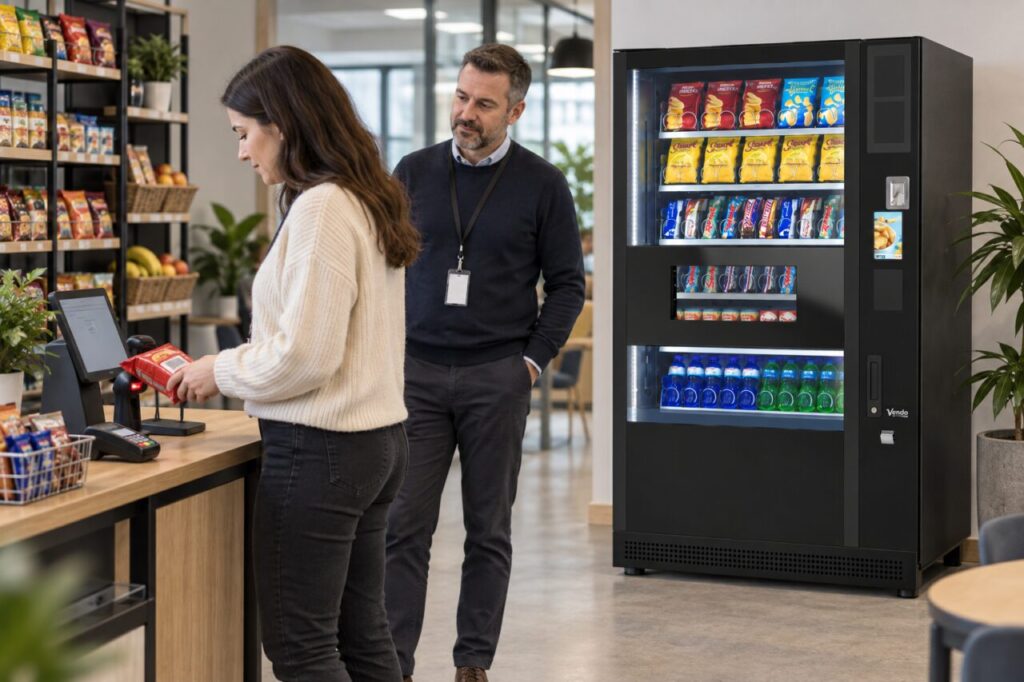
The plan should make it clear where customers browse, how they add products, where they pay and how they know the purchase has finished. Attractive shelving alone does not answer those questions.
Start with the people who will use the space
Identify whether the market will serve regular employees, occasional visitors or both. Someone who uses the checkout every day may understand it quickly, while a visitor may need clearer guidance.
Walk the proposed route from the room entrance to the shelves, checkout and exit. Notice where people are likely to pause. Ensure the plan leaves room for someone comparing products without blocking a person ready to pay.
If vending machines remain beside the market, explain which purchases use which payment point. Customers should not have to guess whether a drink from a vending machine belongs in the checkout basket.
Test a basket rather than a single product
Create a small set of typical purchases: one drink, a snack and drink together, or several items for a break. Include different pack shapes and products that might be confused with similar alternatives.
For a barcode-based setup, test the actual packs intended for sale. Check that the displayed description and price match the item. A successful scan is only part of the test; the customer also needs to understand what has been added.
Nayax’s Nova Market device guidance describes a self-checkout setup with a product catalogue and payment equipment. The configuration supplied to your site should be confirmed with the provider rather than inferred from a general product demonstration.
Include ordinary mistakes in the trial
Ask the demonstrator what happens if a customer scans the same item twice or changes their mind before paying. Can they correct the basket using the supported controls, and are the instructions clear?
Check the process for an item that is not recognised. Customers need an obvious way to obtain help; they should not be left to invent a price or choose an unrelated product.
Use a controlled demonstration for payment issues and interrupted purchases. The supplier should explain the supported recovery process and which situations require operator assistance. Avoid experimenting with live customer transactions.
Make completion unmistakable
Observe how the checkout confirms a successful payment. Ask an unfamiliar user to explain what they believe has happened at each stage.
Clarify whether receipts are available and what information customers should retain if they need support. Keep support instructions close to the point where a problem may occur.
A checkout that is easy for the installer may still be confusing to first-time users. Their questions are useful evidence for improving signage and the launch explanation, not a reason to assume they will simply learn later.
Decide how the market and vending service work together
A micro market does not need to replace every existing vending function. Consider which products and users each part of the space is intended to serve.
Our comparison of micro markets and traditional vending introduces the broader choice. For a specific site, the next step is a practical layout and operating discussion, including stock responsibilities and customer support.
Keep a short record of the checkout trial and resolve unclear steps before launch. When exploring a micro-market solution, bring that customer journey alongside the floor plan. The result should be a service people can understand from their first purchase, with a clear route to help when they need it.