
Micro-Market and Vending Prices Differ: Compare the Exact Pack Before Complaining
A snack on a micro-market shelf may appear cheaper than the similarly named item in the vending machine beside it. Before concluding that one price is wrong, compare the exact product and pack size. Different variants, quantities or temporary offers can make a quick comparison misleading. If the items really are equivalent and the displayed information is inconsistent, report the details so the operator can investigate.
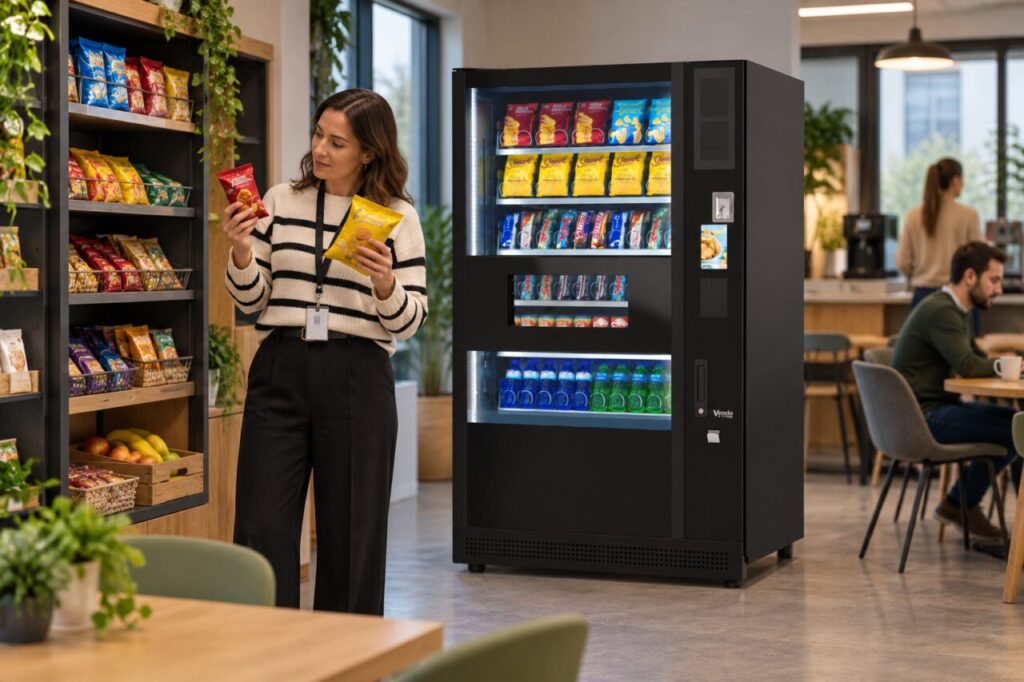
Match the product rather than the colour
Check the brand, product name, flavour and stated quantity. A smaller pack and a larger pack may use almost identical artwork. Multipack units can also look familiar without being the same retail presentation. Do not rely only on a broad description such as a chocolate bar or a bag of crisps when comparing the two prices.
If you have the packs in hand, read their labels carefully and return any unpurchased shelf item according to the venue’s normal arrangements. Do not open packaging to compare contents. Where product information is not visible enough to make an informed choice, ask the host or operator for clarification before paying rather than guessing from the wrapper design.
Check which price applies to your purchase
Read the current vending display and the micro-market shelf or checkout information. A promotion may apply to one channel, a particular quantity or an agreed staff scheme. That does not establish that all users receive the same price everywhere. Check the stated conditions and avoid assuming a staff allowance or discount will transfer between systems automatically.
If the shelf price and checkout price disagree, pause and ask for assistance through the venue’s process. If the vending selection and displayed price appear mismatched, report the machine and selection. Keep each issue separate: a difference between two valid prices is not the same as contradictory information within one purchase route.
Report a precise comparison
Give the operator the exact products, quantities, prices and locations involved. Include the date and approximate time because a price or promotion may have changed. Photographs of public labels and product packs can help if they do not include other customers or private payment details. Explain whether you noticed the difference before buying or after completing a transaction.
If you already purchased, retain the receipt or transaction reference where available. Do not assume the host can issue an immediate refund simply because another channel displayed a lower price. Ask for the discrepancy to be checked under the relevant process. The operator needs to establish what was offered and charged before deciding what correction, if any, is appropriate.
Keep the two services clear for users
Our micro-market and vending overview discusses the different service formats. Where both are available at one site, the practical priority is clear product and payment information at each point of purchase. Do not promise that all sites use shared pricing, shared accounts or identical product ranges unless those features have been confirmed.
Operators should review repeated comparison queries for patterns. A confusing pack description or outdated shelf label may need attention even if the underlying price is correct. Record the checked result and update the relevant information through the authorised process. Customers should be able to compare the actual choices confidently, without needing to understand the commercial or technical arrangements behind the two services.
Related guidance: Launching a Micro Market Beside Vending: Explain the Two Purchase Journeys.
Planning or reviewing vending at your site? Contact the team with your location, equipment details and the question you would like to resolve.