
Your Phone Battery Is Flat at a Vending Machine: Check the Available Payment Options
A flat phone battery can interrupt a familiar vending routine, particularly if you normally pay with an app or mobile wallet. Before assuming the machine is unusable, check the payment options displayed on the equipment. A separate physical card or accepted cash may provide another route, but availability depends on the installed setup and should never be assumed from the machine’s appearance.
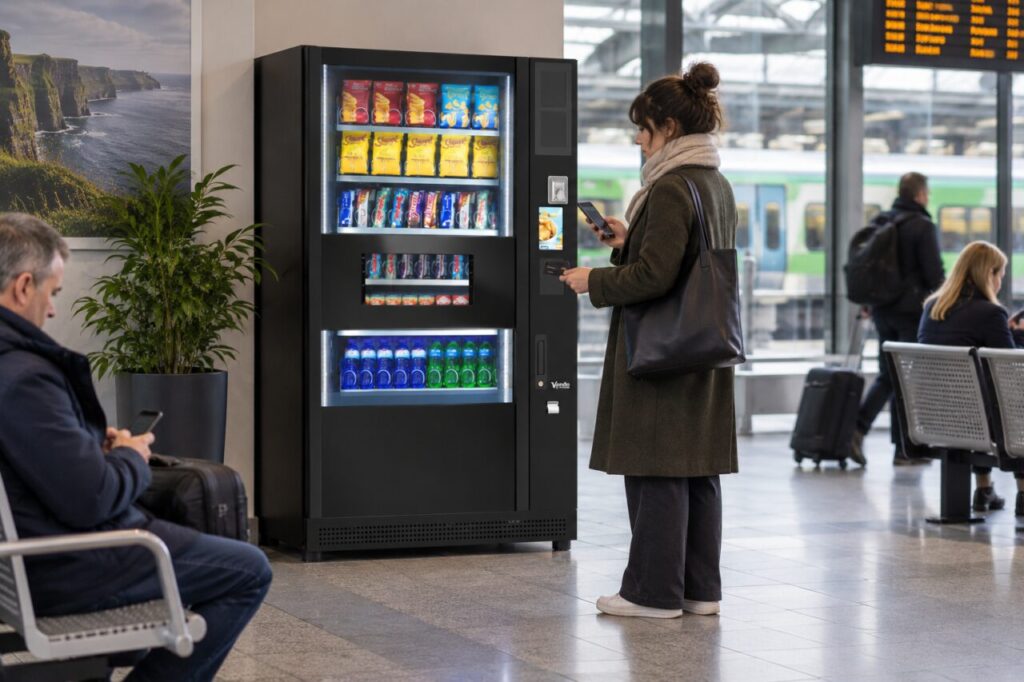
Check the equipment before trying again
Look for the payment instructions and accepted methods on the actual machine or reader. If the screen is asking for a particular step, follow that sequence rather than tapping several objects in quick succession. Give any previous attempt time to finish. If you cannot tell whether a transaction started before the phone went flat, note the product and approximate time for later checking.
Do not put the phone into openings or attempt to charge it from an unidentified socket on the equipment. A vending machine is not automatically a public charging point. Ask the venue whether there is an appropriate charging option elsewhere. Avoid leaving the phone unattended with a stranger or sharing account access simply to complete a small purchase.
Use a separate method only when it is supported
A physical payment card can be a useful fallback if the machine accepts it and you are authorised to use it. Present the intended card on its own and follow the reader’s instructions. Keep other contactless cards away from the reader during the attempt. If the payment does not proceed, stop and use the displayed help route rather than cycling through repeated taps without understanding the response.
Cash may be another option where the machine accepts the denominations you have. Read any exact-payment or change information before inserting money. A coin slot or cash symbol does not establish every detail of the configuration. If your only available method is unsupported, the practical answer may be to use another refreshment outlet until your phone is available again.
Separate personal payment from a workplace benefit
If your usual app provides employer-funded credit, paying with a personal card may be a different purchase route. Do not assume the staff allowance will automatically reimburse that payment afterwards. Ask the scheme contact how an exceptional purchase should be handled, ideally before buying. The answer depends on the employer’s policy and the agreed vending arrangement.
The Monyx FAQ distinguishes its general wallet card from operator-specific prepaid cards. That is a useful reminder that a balance in an app is not necessarily interchangeable with another payment method. Once your phone is available, check the relevant history if you are uncertain about an earlier attempt. Keep any concern linked to the machine and purchase details.
Plan a realistic fallback for your site
Hosts choosing vending for an Irish workplace should consider what happens when someone cannot use their normal device. That does not mean every installation needs every payment option. It means the choice should reflect the customer group and the available alternatives, with limitations explained clearly before launch.
Test the customer instructions with someone who has not used the equipment before. Ask them to identify the accepted methods, find the support contact and explain what they would do if their preferred method were unavailable. Clear information can prevent a flat battery becoming a confusing series of attempted transactions, while keeping the payment options faithful to the actual machine.
Related guidance: Staff Vending Allowance Not Working: Separate Scheme Access from Payment.
Planning or reviewing vending at your site? Contact the team with your location, equipment details and the question you would like to resolve.