
A Vending Selection Is Deliberately Left Empty: Distinguish a Range Change from a Stockout
An empty vending selection does not always mean the operator has run out of stock. A lane may have been deliberately withdrawn while the range is reviewed or a product arrangement is changed. Customers cannot know that from an empty space alone, so the operating plan and customer-facing information need to agree.
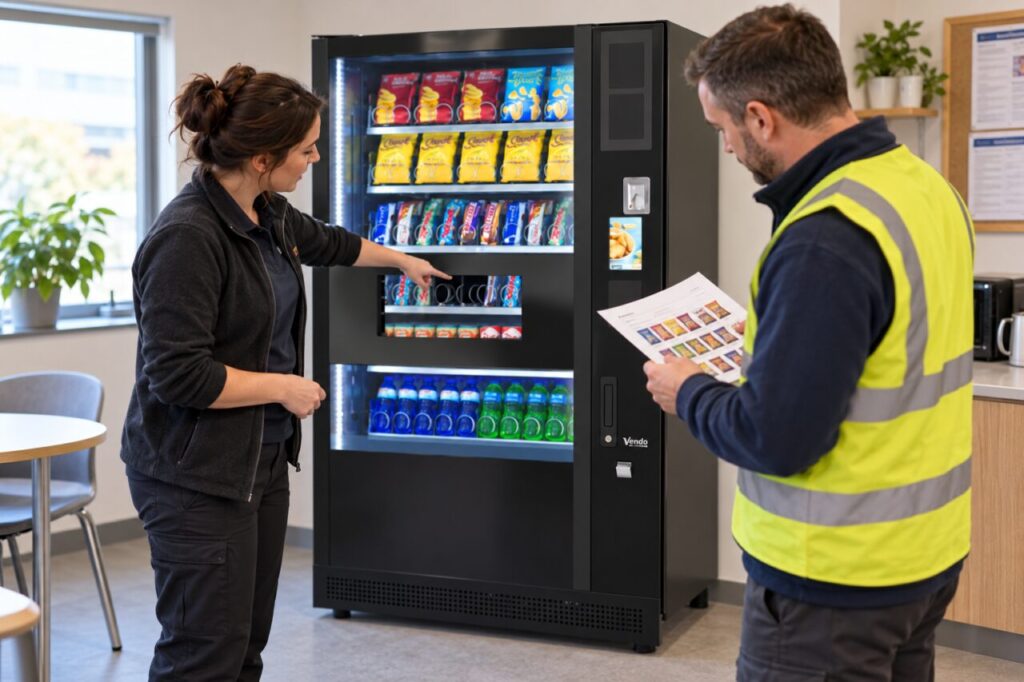
This is particularly important after removing a slow seller. If the selection still appears available or the host keeps reporting it as a missed refill, the range change has not been communicated clearly. Establish what the empty position is intended to mean before deciding how to respond.
Confirm that the gap is intentional
Ask the operator whether the lane is temporarily unavailable, permanently removed from the current range or awaiting a replacement product. Record the selection reference and the date of the decision. Avoid labelling the whole machine out of stock when the issue concerns one position.
If nobody can confirm the reason, report the observation rather than inventing a plan. A visible gap might also result from an ordinary stock shortage or a service issue. Those possibilities require different follow-up, and the site contact should not decide between them simply from the appearance of the shelf.
Align the range record and the machine
The authorised operator should check that the installed configuration and customer information reflect the agreed arrangement. Site staff should not change prices, controls or availability settings themselves unless that work is part of their authorised role and instructions. A handwritten note is not a substitute for checking the actual purchase behaviour.
Where a separate range list is used, mark the affected product accurately. Do not continue promising it through an office notice or welcome guide if it has been withdrawn. If a replacement is planned, describe it as planned until the product is actually available; avoid giving a date the supplier has not confirmed.
Keep reports and performance measures consistent
Separate intentionally inactive space from an active product that sold out before the next visit. Otherwise, an availability report may make a planned range reduction look like repeated service failure. Keep the definition visible so two people counting empty selections produce comparable records.
At the same time, do not hide genuine customer demand by calling every gap planned. Record requests for the removed item and whether customers can find an acceptable alternative. The commercial decision to withdraw a product may need review even when the machine configuration is correct.
Use the space decision to improve the range
An empty lane can be a temporary result while a better allocation is considered. Ask whether the next step is another product, greater depth for an existing favourite or a different approved layout. Evaluate that choice against demand and product suitability rather than filling the space just to make the cabinet look busy.
For example, a site might remove one snack and review customer requests before committing to a new case order. That can be a reasonable test if the gap is clearly managed and the review has an owner and date. It becomes unhelpful when the position stays unexplained and nobody knows whether action is still required.
After the change, check the machine and the range record together. Confirm that the item customers can select matches the current plan and that any temporary notice has been dealt with. A clear distinction between planned range changes and stockouts makes both customer communication and refill reviews more useful.
Related guidance: read Shared Office Vending: Agree Who Can Request a Range Change for the connected question.
Describe the current range and the reason for reviewing it in your enquiry.