
Vending Near Automatic Doors: Check the Draught and Customer Waiting Space
A lobby beside automatic doors can look ideal for vending: people pass it throughout the day and refreshments are easy to find. Before ordering, however, watch what happens when the doors are opening repeatedly. The useful space includes the customer, the queue and the environment around the cabinet.
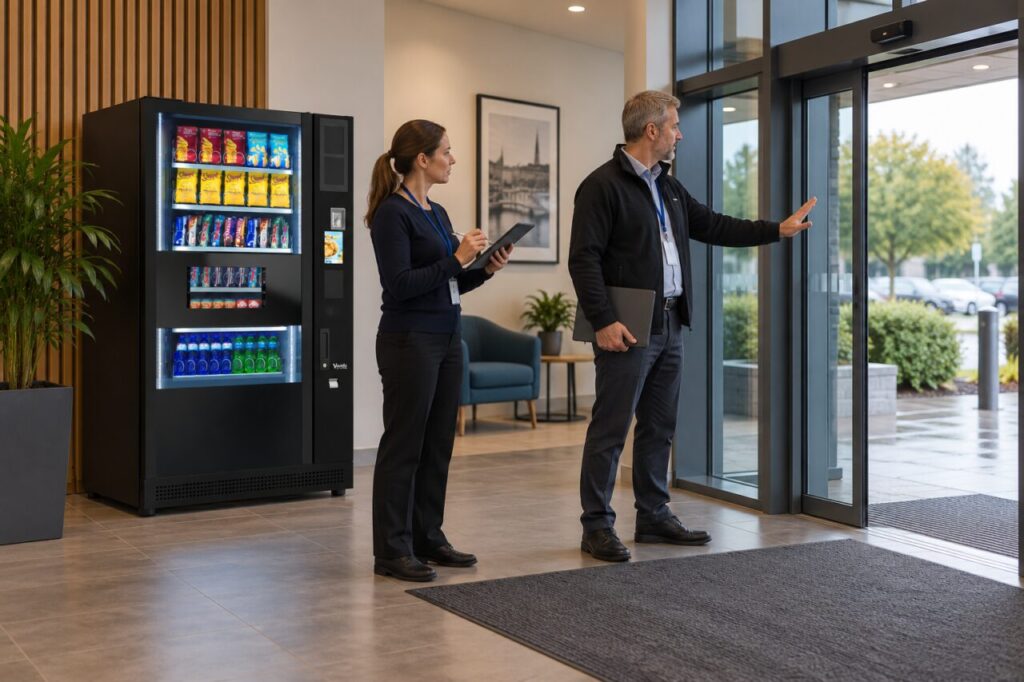
A photograph taken during a quiet afternoon will not show the full picture. Arrange a short observation during a busy arrival period and share the findings with the supplier assessing your vending machine location.
Observe the doors during normal use
Note how often the entrance opens, where people pause and whether a customer reading the vending display would stand in the movement route. Someone choosing a drink may remain still for longer than someone walking through reception. Include the space used when a second customer waits behind them.
Check the entrance arrangements with the person responsible for the building. Do not move door sensors, alter opening settings or add a screen as an informal vending fix. A change intended to shelter the equipment could affect how the entrance works. Record the concern and ask the relevant contractor to assess it.
Describe the environment accurately
Tell the vending supplier whether outside air reaches the proposed position directly, whether rain is sometimes carried into the lobby and whether the area is heated consistently. These observations help the supplier compare the location with the requirements of the actual equipment. An indoor lobby is not automatically a suitable environment simply because it has a roof.
Avoid inventing a universal distance from the doors. The answer depends on the building layout, equipment instructions and exposure. A cabinet dimension on a product page does not establish the acceptable operating environment. Ask for the proposed installation position to be confirmed after these conditions have been reviewed.
Try the customer journey without moving equipment
Use a floor plan or an agreed temporary marker to show where someone would select, pay and collect. Include a person carrying a bag and a colleague waiting nearby. Observe whether either would have to step backwards into arriving visitors. Keep the entrance operational and avoid creating an obstacle during the exercise.
Consider what happens immediately afterwards. A customer may stop to put change away or open a drink. If the only available standing space is in front of the doors, a position further inside the building may work better. Compare complete journeys rather than judging locations solely by how visible the cabinet looks.
Compare observations on a wet, windy day with a calm day if the entrance is exposed. Tell the supplier which conditions you actually observed and which remain unknown; seasonal assumptions should not be presented as a completed environmental assessment.
Confirm the revised position before delivery
If the survey leads to a different location, update the drawing, power arrangements and delivery instructions together. Check that the new position still allows service access and a practical refill route. Moving a mark on a floor plan can change more than the distance customers walk.
The fully managed service includes an assessment of space, access and likely demand before the solution is agreed. Bring your entrance observations into that discussion. Keep the accepted drawing with the order so the delivery team and site contact work from the same version. Once installed, review the area during an actual busy arrival period and report any unexpected crowding or exposure promptly.
Related guidance: Hard to Read the Vending Screen? Check Glare at Your Site.
Planning or reviewing vending at your site? Contact the team with your location, equipment details and the question you would like to resolve.