
Sending a Vending Site Video: What Should the Supplier Be Able to See?
A short site video can help a vending supplier understand a location before discussing equipment. The useful part is not a polished presentation. It is a clear view of the route, proposed position and everyday activity around the machine, supported by measurements and a contact who can answer questions.
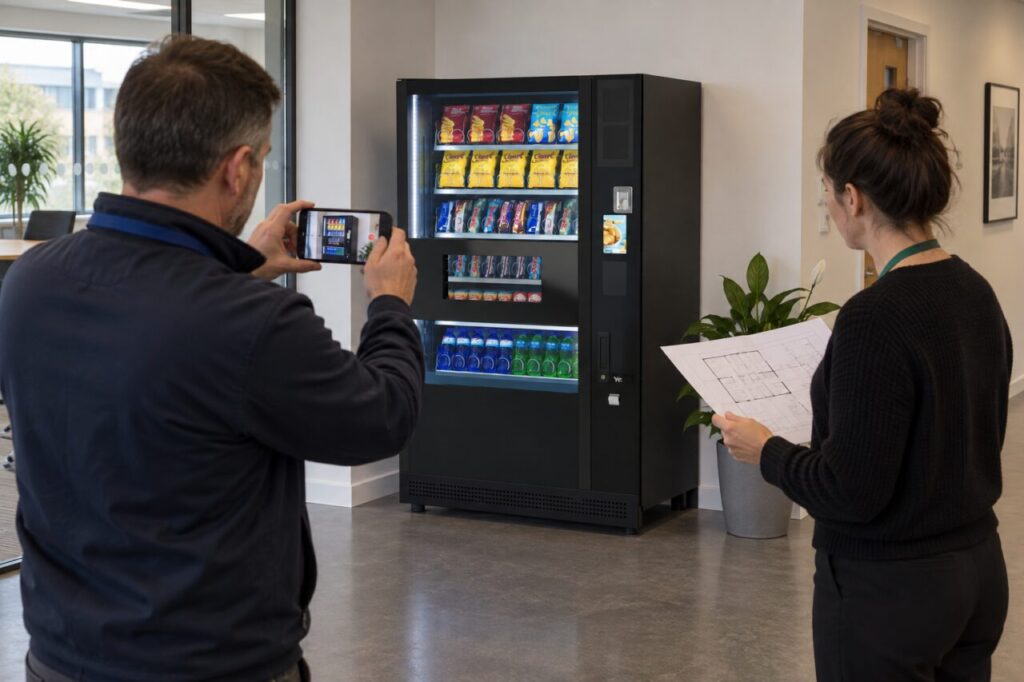
Treat a video as preliminary information. It cannot establish every physical or technical requirement, and a supplier may still need an on-site assessment. Its value is in identifying questions early and reducing assumptions in the first proposal.
Start outside the final position
Show the relevant entrance and the route towards the proposed location. Move slowly enough for doorways, turns and changes in level to be understood. Explain which entrance is normally available for deliveries and whether the route shown will still be available on the proposed date.
Do not use a video to guess dimensions. Supply measured information separately and identify who measured it. If a section is uncertain, say so. A wide-angle camera can make a narrow route appear generous, so the supplier should not have to infer clearances from the picture alone.
Show the machine position in context
Film the proposed position from more than one direction. Include nearby doors, desks, seating and the space customers would use while choosing and collecting products. Explain whether furniture is permanent or is being moved only for the recording.
Show the area as it normally operates. A completely cleared room may hide the reason the location becomes awkward during breaks. If the premises are unfinished, distinguish the current layout from the planned one and provide the relevant drawing rather than presenting an empty space as the final arrangement.
Describe access for routine visits
The installation route is only part of the story. Explain where a refill operator would arrive, who grants entry and where stock can be brought without disrupting the workplace. Mention reception hours and any booking process that the supplier needs to discuss with the site contact.
Avoid filming access codes, keys, security displays or other confidential information. Describe the authorised process without recording the credentials used to enter. A video shared for equipment planning should not become a general guide to bypassing the building’s normal access controls.
Add the customer and service context
Describe the people who will use the machine, the opening pattern and the refreshment gap it should fill. Show the surrounding area without recording identifiable staff or visitors unnecessarily. An explanation that the canteen closes before a later shift may be more helpful than a long tour of unrelated rooms.
Our one-page buying brief can accompany the video. Keep attendance estimates labelled as estimates and identify any planned changes that may affect use after installation.
Send a clear question with the recording
Label the file with the site and recording date, then include a short list of questions. Ask whether the proposed position needs an in-person survey, which measurements remain outstanding and what information is required before a quotation can be finalised.
Keep one person responsible for collecting the answers. If the layout changes after the video is sent, provide an updated view and explain the difference. Suppliers should not have to choose between several recordings without knowing which represents the current plan.
Use the recording to support discussion of the vending range, not to replace professional assessment of the equipment and site. A useful video makes the unknowns visible instead of giving false confidence that every requirement has already been checked.
Contact our team with your site brief and the specific planning questions you want to resolve.