
Office Fit-Out Changed? Recheck the Space Around Your Vending Machine
A vending machine can remain in the same position while the space around it changes completely. A new table, partition or reception desk may alter how customers approach it and how an operator reaches it for service. Include vending in the final fit-out review rather than assuming an existing installation needs no attention.
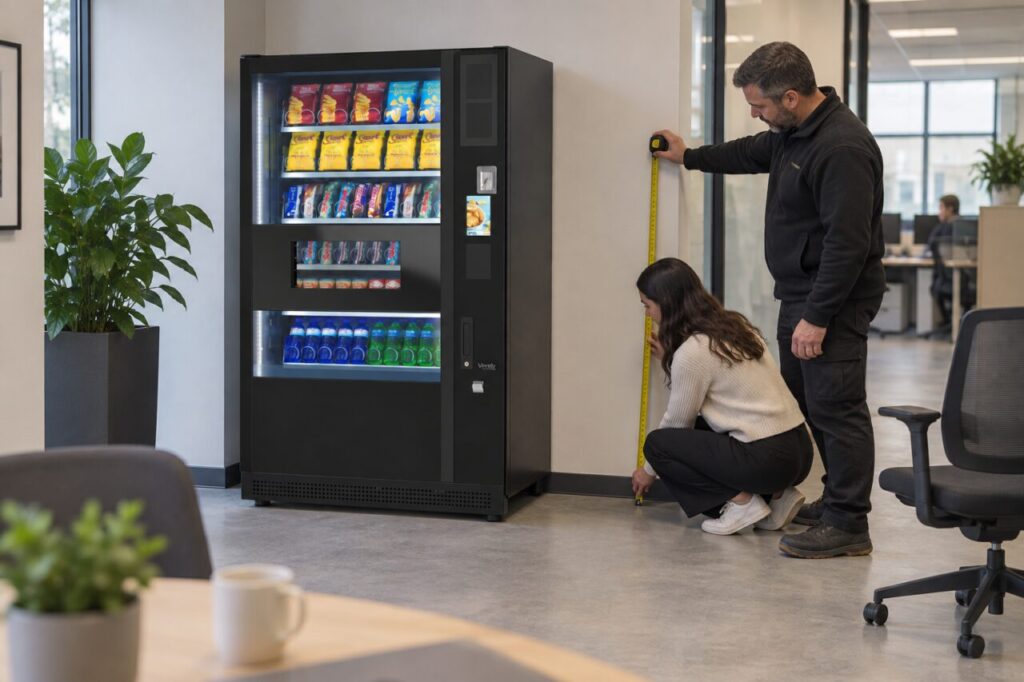
The aim is to identify changed conditions and have the appropriate people assess them. Do not move equipment, alter connections or test service access yourself unless you are authorised and competent to do so.
Compare the old and new layout
Start with the original position and identify what has been added nearby. Look at furniture, stored materials, doors and the route customers take through the area. Include temporary items that tend to remain in place, such as spare chairs or delivery boxes.
Ask the facilities contact whether the layout you are reviewing is final. If a partition is still planned, the supplier needs to know before confirming the service arrangement. Photograph the area for the responsible team without assuming that a photograph is enough to establish required working clearances.
Separate customer space from service space
Customers need to see the products, use the payment controls and collect a purchase. An operator may need different space for approved maintenance or replenishment. A layout that appears comfortable during a purchase may still obstruct a routine service activity.
Ask the supplier to confirm the needs of the actual cabinet and service process. Do not apply a clearance figure from another machine or an online photograph. Our office vending information is a starting point for discussing the proposed workplace arrangement with the team responsible for it.
Walk the area during normal use
Observe the position when people are using the surrounding desks or break area. A chair pushed back from a table can change the available path. A queue for another facility can also overlap with the place where someone stands to collect a drink.
Record the situation rather than drawing a conclusion from one busy moment. Note what was obstructed, when it happened and whether it was temporary. Share those observations with facilities and the vending provider so they can agree a proportionate change to the layout or service plan.
Check what changed beyond furniture
A fit-out may also change the building entrance, reception hours or location of the person who grants access. Confirm that refill and service visitors still have a clear authorised route. Update the site contact details if responsibilities moved to a different team.
Do not hide cables or connections behind new furniture without having the relevant installation requirements reviewed. If anything appears damaged or unsafe, stop using the affected arrangement and report it through the site’s normal procedure. Avoid improvising technical alterations to make the revised layout appear finished.
Close the review with an agreed action
List the observations, who will assess them and which items remain unresolved. A useful outcome might be a furniture adjustment agreed by facilities, a supplier visit or a revised delivery route. Record the final decision so future fit-out work starts from the same understanding.
Include a follow-up after normal occupancy resumes. The room may behave differently once everyone returns and storage habits develop. A brief review at that point can reveal an obstruction that was not visible during the contractor’s handover.
For changes involving the equipment itself, discuss the managed service arrangement or your existing support agreement. Keep the customer experience and the operator’s working needs visible in the same plan.
Ask our team to review the implications of a planned workplace change before treating the vending position as settled.