
Micro-Market Collection Space: Keep Paid Items and Shopping Baskets Clear
A workplace micro-market checkout needs more than a working payment screen. Customers also need to manage the physical items they have selected, understand what has been recorded and leave with their purchase without confusion. Review the counter and collection space as part of the customer journey.
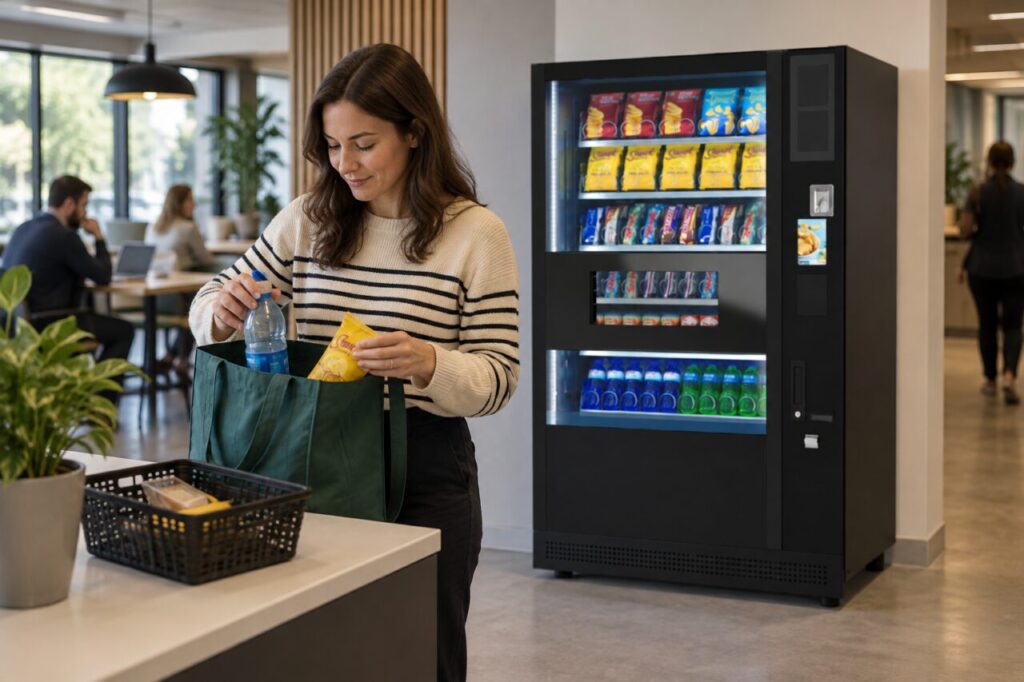
This article focuses on layout and observation. The correct transaction sequence depends on the installed system, so use the provider’s instructions and avoid inventing a standard process that may not match the equipment.
Follow an ordinary shopping basket
Choose a realistic combination of products for a supplier-approved demonstration. Observe where a customer places items before, during and after the transaction. A single small item may hide a space problem that appears when someone has a drink, snack and personal bag.
Ask a person unfamiliar with the setup to explain what they believe has been completed at each step. Their uncertainty can reveal an unclear physical arrangement or instruction. Record the observation without assuming the customer is at fault for misunderstanding an unfamiliar service.
Keep the sequence visually understandable
Discuss with the provider how the layout distinguishes items still being processed from those associated with a completed purchase. This may involve the counter arrangement or approved customer guidance, depending on the system. Do not add an unofficial step that conflicts with the checkout’s own instructions.
Avoid a cluttered surface where personal belongings, another person’s products and the current basket become mixed. Consider the ordinary use of bags and phones while checking that any proposed arrangement remains appropriate for the equipment and location.
Observe what happens when another customer arrives
A demonstration with one person may work smoothly while a second person waits too close or places items in the same space. Review the actual customer flow and ask whether the next person can understand where to wait without interrupting the current transaction.
Use the workplace layout and expected users to guide the discussion. Do not invent a universal distance or capacity from a photograph. The site and provider should assess the arrangement, including any relevant access requirements, before agreeing a permanent layout.
Make completion and help clear
Ask the provider how the customer knows the purchase is complete and what they should do if uncertain. Staff should follow the installed system’s support instructions rather than repeat payment attempts or assume a visible product has been registered automatically.
Our mixed-basket test guide looks at the transaction itself. Combine that check with the physical space review so the digital instructions and the handling of products tell the same story.
Review the arrangement after opening
Ask the site contact to collect specific observations during ordinary use. Note whether people mix baskets, cannot find a place for their bag or hesitate at completion. Keep feedback focused on the design problem rather than recording unnecessary personal information about individual customers.
Discuss confirmed concerns with the provider and agree any revised layout or wording. Check the changed arrangement again instead of assuming that a new sign resolves the issue. A shorter instruction in the right place may be more useful than several competing notices.
Our micro-market and traditional vending comparison offers context for choosing a workplace format. Whichever approach is selected, the customer should be able to understand the purchase journey and know where to seek help.
Speak with our team about the practical layout questions for a proposed workplace refreshment area.