
Micro-Market Product Moves: Keep Shelf Information Aligned
Moving a product within a micro-market can leave its shelf information behind. Customers may then associate a price or description with the wrong item, even though the checkout still identifies the original product correctly. Treat a display change as an information change too, with a clear check before the revised arrangement is used.
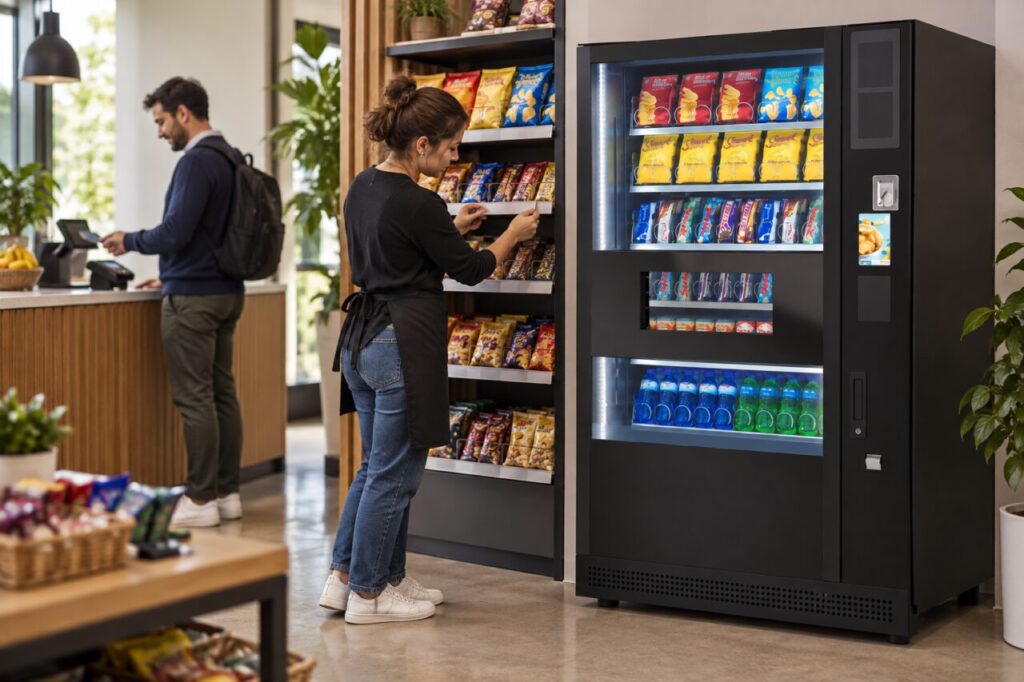
The exact process depends on the supplied retail system and the operator’s responsibilities. Ask who is authorised to change product locations and associated information. Do not assume that a workplace host can rearrange stock freely simply because the shelves are open and accessible to customers during normal service.
Identify what is moving
Record the exact product and pack involved, especially when similar items stand next to one another. A different flavour, size or multipack can be mistaken for the intended item if the change is described only by brand. Use the operator’s normal product references so the instruction remains clear to covering staff.
Explain why the move is being considered. It might respond to customer confusion or a layout change, but the operator should assess the proposal before it happens. Keep the reason separate from a claim that the new position will increase sales; that outcome requires evidence rather than an assumption based on appearance.
Check the information together
Ask the authorised operator to review the shelf card, product identification and checkout information relevant to the moved item. These elements should describe the same product under the actual system’s process. Do not invent a universal updating sequence or assume that changing one display automatically updates every other part of the service.
Remove or correct outdated supplementary information through the approved process. A spare card left in the previous position can continue to confuse customers even after the new location is labelled correctly. Check neighbouring products too, because a small move can change which shelf edge a customer naturally associates with an item.
Walk the revised purchase journey
Look at the display from the customer’s position and ask whether the intended information is clear. Where the provider permits a test, confirm the item through the normal checkout process. Keep the exercise within authorised procedures rather than making unapproved system changes or treating a visual check as proof of every technical setting.
Our guide to separating payment notices from promotions covers another source of confusion. If vending equipment stands beside the market, keep the two purchase journeys distinct. Shelf information for the market should not look like an instruction or offer that automatically applies to the vending machine.
Record and review the change
Keep a simple note of the agreed move and who checked the associated information. This is useful when another operator replenishes the area later and might otherwise restore the old arrangement. The record should support consistent service rather than becoming a complicated document that nobody consults during routine work.
Listen for specific customer questions after the change. If confusion continues, describe what customers are misunderstanding and discuss it with the operator. Avoid adding multiple improvised signs that conflict with the approved information. A targeted correction is easier to maintain than a growing collection of explanations for the same product.
When planning micro markets alongside vending, include display maintenance in the operating brief. A useful layout depends on accurate information as well as available stock. Review both together whenever a product moves so the customer sees a coherent service rather than a shelf arrangement that no longer matches its guidance.
Contact our team to discuss the responsibilities around your workplace retail layout.