
New Vending Machine on Site: Give It a Clear Location and Asset Record
A new vending machine may be called the kitchen machine, the reception machine or simply the new one. Those descriptions become unreliable when equipment moves or another machine arrives. A short asset and location record helps your staff and the operator identify the same cabinet when discussing stock, service or customer queries.
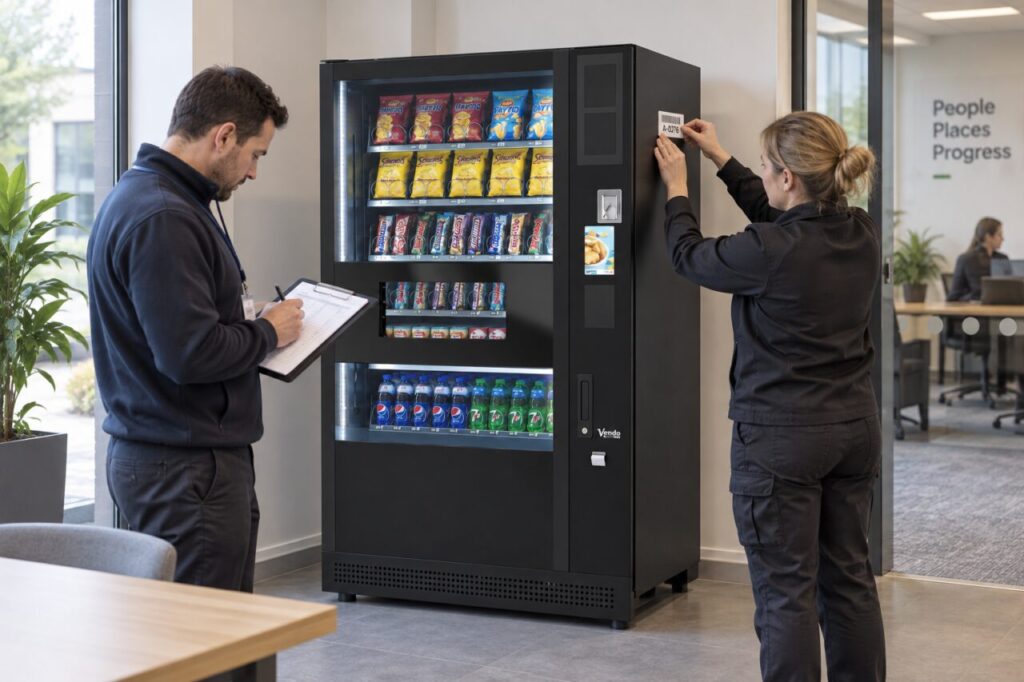
Set it up during handover while the machine details and final position are available. The record should be easy to maintain and useful to the people who report problems, without putting private account details on a public label.
Distinguish your label from the manufacturer's identity
Your organisation may use a simple local asset reference such as a building and sequence number. That reference is helpful for internal communication, but it should remain linked to the manufacturer’s model and serial information. Do not replace, remove or cover the original identification plate.
Ask the installer where an additional label can safely go. Keep it away from controls, product information, ventilation and service access. The purpose is to identify the equipment, not to change its appearance or interfere with its operation. Record the chosen reference consistently in the site documents.
Describe the position precisely
Include the building, floor and room or area name that a visiting technician can actually follow. Where a site has several entrances, distinguish the customer location from the service access route. A postal address alone may not help someone locate one machine inside a large workplace.
Use a straightforward location photograph if it is appropriate and avoids private information. Include enough surroundings to distinguish the position. If room names change during a refurbishment, update the record rather than leaving a familiar but obsolete description for the next person to interpret.
Link the service information
Add the agreed operator or service contact and explain which route staff should use for a fault, stock request or purchase query. Store sensitive details in the authorised internal system, not on the customer-facing label. Public instructions only need the information customers are meant to use.
The record can point to relevant handover documents, including the machine model and serial details. Keep the source documents accessible to authorised staff so a label does not become the only remaining evidence of what was installed.
Test the record with another colleague
Ask someone who did not prepare the record to locate the machine and identify the appropriate service contact. This simple check can reveal ambiguous room names, duplicate asset numbers or a link that only works for the original author. Correct those issues before the record becomes routine.
If there are two machines beside each other, test whether a colleague can distinguish them without opening either cabinet. A useful report should identify the correct equipment first, then describe the issue. Avoid labels that depend only on a temporary product range or the colour of a promotional wrap.
Assign responsibility for updates
Choose who updates the record after a move, replacement or service-contact change. Record the date of the change and retain the previous identity where it helps explain older reports. Do not silently reuse an old reference for different equipment without documenting the relationship.
When discussing vending equipment for an Irish site, include this handover detail in your launch plan. It is a small administrative step, but it gives future conversations a consistent starting point and reduces the need to repeatedly ask which machine somebody means.
For help planning a new installation, contact the team with your site layout and the number of intended machine positions.