
Shared-Site Vending: Help Customers Identify the Right Operator
A building may contain vending machines managed by different providers. From the customer’s perspective, they can look like one service. Make the responsible operator and support route clear for each machine so a question about a purchase is not passed between organisations that cannot identify the equipment or transaction involved.
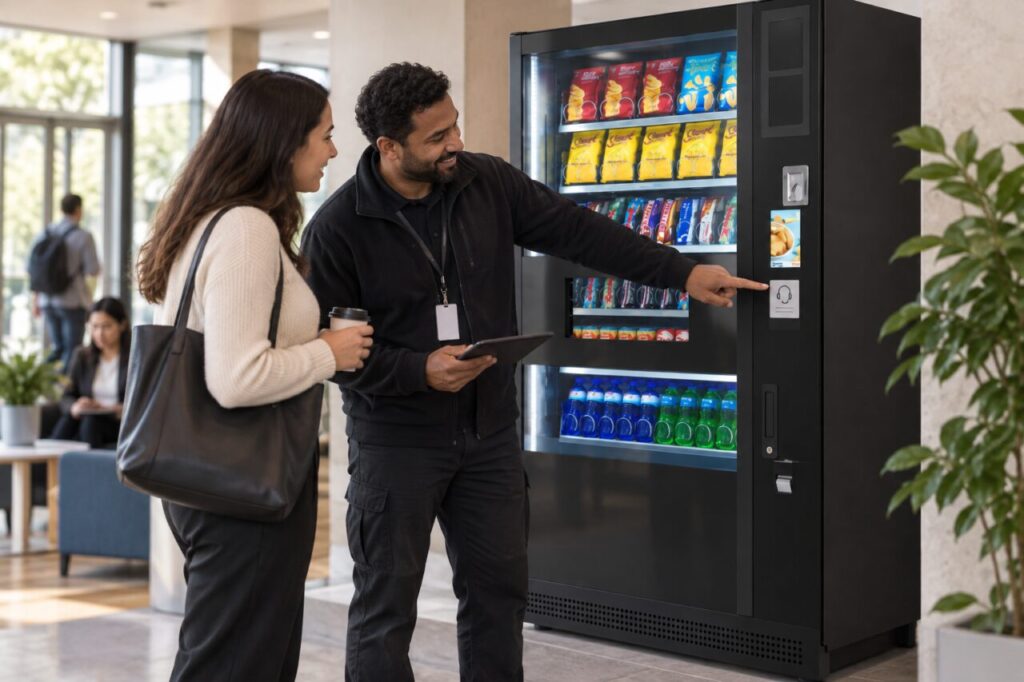
Start with the actual service responsibilities. A building manager or receptionist may coordinate enquiries without operating the machine. The information should help customers reach the appropriate provider, while avoiding promises that the site team can resolve payment, stock or technical matters outside its agreed role.
Identify each machine unambiguously
Ask each provider which machine reference should be used in a support enquiry. Keep that reference visible through the approved labelling arrangement and record its location for site staff. Informal descriptions such as the snack machine near the door can become ambiguous when equipment is moved or another cabinet is installed nearby.
Check the information from the customer side. A label hidden behind furniture or readable only after opening the machine is not useful for a routine enquiry. Discuss a suitable location with the provider rather than attaching unapproved material over controls, instructions or other information needed for normal equipment use.
Keep the support route specific
Confirm the correct contact method for each provider and what the customer needs to include. Do not copy one operator’s notice onto every machine because the layout looks convenient. Similar equipment can sit under different arrangements, and a shared-looking sign may send customers to an organisation with no responsibility for their purchase.
Our guide to customer refund support explains why the first contact should be clear. Site staff can help identify the machine and route the enquiry without collecting payment credentials or guessing which provider processed a transaction based only on the product purchased.
Brief the site team
Give reception or other relevant staff a concise map of the machines and responsible contacts. Include the information needed to distinguish services, but keep private account details out of a general reference sheet. The map should support routing questions, not turn every site employee into an equipment operator or payment-account administrator.
Plan how the information is updated when machines or providers change. A correct notice can become wrong after a replacement, even if the cabinet remains in the same position. Ask the responsible site coordinator to confirm the revised details through the provider’s normal process before the new service is announced.
Review repeated misdirected enquiries
If questions keep reaching the wrong contact, record the point of confusion. Customers may be mixing up locations, signs or the names used by staff. Address that specific issue with the relevant providers rather than assuming that customers have ignored clear instructions or adding another broad notice that repeats the same ambiguity.
Keep the tone helpful and factual. A customer seeking assistance should not have to understand the building’s purchasing history. Explain which machine the contact covers and where the appropriate route can be found, without criticising another operator or claiming responsibility for a service that belongs to someone else.
When organising vending at a shared site, include identification and support information in the handover. Clear ownership of the customer-help route makes the arrangement easier to navigate. Review it after any equipment change and during staff handovers so the information remains accurate long after the original installation team has left.
Discuss your site setup with our team when planning vending responsibilities across a building.