
Slave Vending Machine Expansion: Planning a Vendo Legend SN8
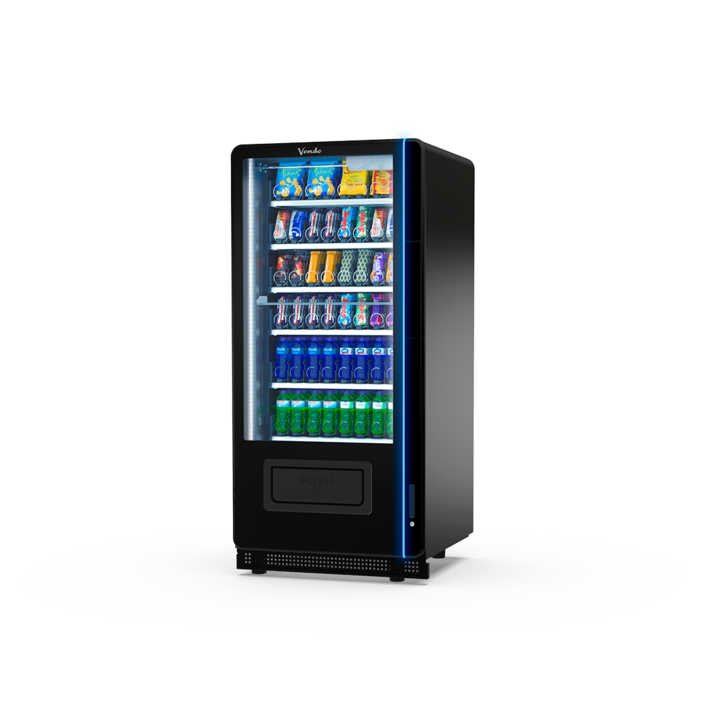
Slave vending machine expansion can add another product cabinet to a compatible installation. Before ordering, establish how the added unit will be controlled and what problem it should solve. More shelf space is useful only when the complete setup remains straightforward for customers and staff.
What does “slave” mean in this context?
In vending catalogues, a slave unit is a connected cabinet intended to work with a suitable controlling system. It should not be treated as an interchangeable standalone machine. Ask the supplier to confirm the complete arrangement, including the existing controller, software and payment equipment.
The SandenVendo G-Snack Vendo Legend Slave catalogue lists the SN8 with eight selections per shelf. Six shelves are standard, while seven shelves and 56 selections describe the maximum arrangement. Those figures help frame a discussion, but your actual product layout still needs confirmation.
Identify the reason for adding capacity
Start with a specific issue from the current installation. Perhaps popular products run out before the next refill, or customers request a range that the existing shelves cannot accommodate. Record the issue before selecting the extra cabinet.
- List products that repeatedly sell out.
- Separate demand for more stock from demand for more variety.
- Record the refill times and busiest purchase periods.
- Identify packaging formats that need a different shelf setup.
Adding a cabinet does not automatically remove a queue. If customers still share a single purchase interface, ask for a demonstration of the whole shopping flow. Measure the part of the process that actually causes delay.
Confirm compatibility in writing
Give the supplier the model details of your current equipment. Ask which components can remain, which need changes and who will configure the combined installation. Include testing and staff handover in the quotation.
Also ask how product names and selections will appear to customers. A clear layout should make it easy to understand which cabinet will deliver each purchase. Confirm how stock, sales and faults are identified in the reporting system you intend to use.
Plan access before committing to the cabinet
Measure the available space and the delivery route. Include door opening, refill access and nearby equipment in the plan. A wider installation may change how staff move stock, even if each individual cabinet fits through the entrance.
Finally, agree a launch check that covers both the existing machine and the added unit. Keep the old and new product lists together so that staff can spot selection errors during testing.
Explore our connected shop solutions and review our acceptance test guide. Send us your current machine details to discuss an SN8 expansion that matches your site’s needs.