
Two Vending Machines in One Room: Identify the Right One in a Fault Report
A report that says the vending machine is not working can be difficult to act on when two similar cabinets share a room. One may be operating normally while the other has a payment, selection or stock issue. Give support enough information to identify the correct machine before describing the problem. A consistent site reference saves follow-up questions and reduces the chance of someone checking the wrong cabinet.
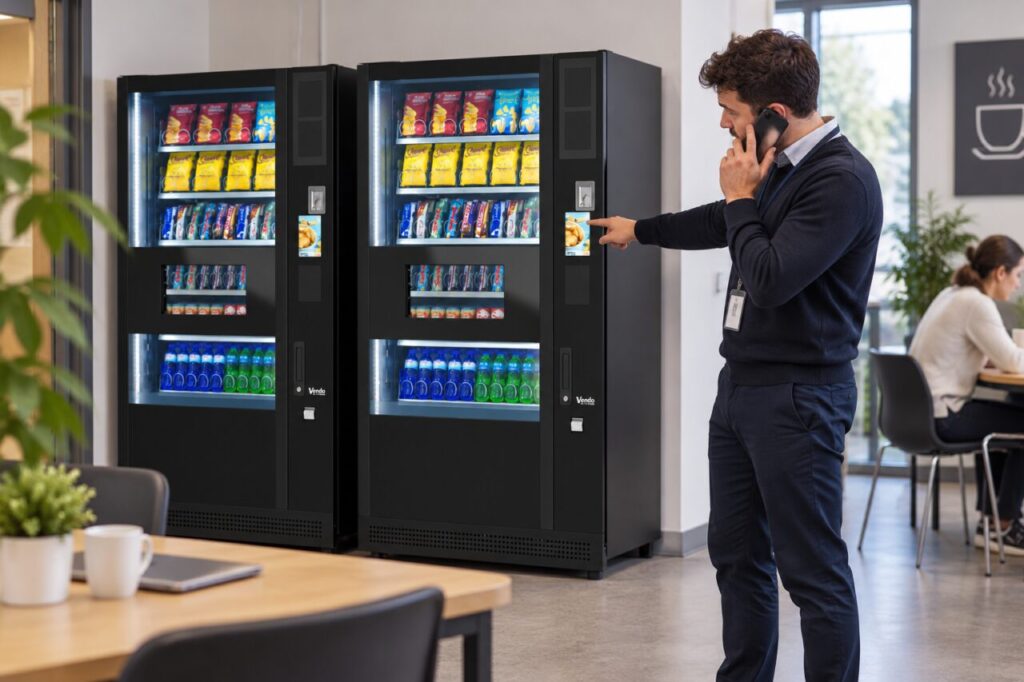
Start with a stable location description
Use the building, floor and room name recognised by the site and provider. Then distinguish the machine within that room. A description such as the cabinet nearest the window can help, provided the window and arrangement are unambiguous. Avoid using left and right alone: those directions change depending on whether the reader is facing the machines or standing behind a nearby desk.
Where an agreed asset or service reference is displayed for customers or hosts, include it accurately. Ask the provider which visible reference is useful rather than copying every number on the cabinet. Keep that reference in the site’s equipment record. If machines are later exchanged or moved, update the record so an old label does not send support to equipment that is no longer present.
Connect the observation to that machine
Describe what happened at the identified cabinet: the selection involved, the visible message and the approximate time. Separate a customer’s account from something you observed personally. For example, a customer may report that payment was attempted, while the host can only confirm what is currently shown on the display. Both details can help, as long as their source is clear.
Do not combine reports from both machines into one assumed fault. Similar symptoms may have different causes and different times of occurrence. Record each machine separately if both are affected, while noting any shared site event the provider should know about. A factual record is more useful than guessing that the machines must have the same problem because they stand beside one another.
Use photographs with enough context
A photograph can show the correct cabinet and its surroundings if the provider requests one. Take it from a safe public position and avoid capturing people, payment details or private paperwork unnecessarily. A very close image of an error message may need a separate location description because it cannot identify which of two identical cabinets is involved. Keep the machine reference alongside the image in the report.
Do not open doors or service panels to obtain an identifier. The provider can advise how to establish the equipment identity through the authorised process. Similarly, avoid moving customer notices between cabinets while waiting for a reply. If the provider advises that a particular machine should be unavailable, make sure any site communication applies to that machine and does not create confusion around the working equipment.
Confirm which record the response closes
When support replies, check that the response names or otherwise clearly identifies the same cabinet. Record the advice and any visit against that equipment reference. If the original report was ambiguous, correct it openly rather than leaving two inconsistent descriptions in circulation. The person attending should be able to connect the report, machine and current site contact without reconstructing an email chain.
For sites planning multiple vending machines, agree the identification convention during setup. Keep it simple enough for a receptionist, shift supervisor or customer-service colleague to use. It should remain understandable when the usual host is absent. Clear identification will not diagnose a fault, but it gives the responsible provider a reliable starting point for the investigation and makes the eventual service record easier to follow.
Contact our team to discuss a clear support arrangement for your site.
Related guidance: Vending Support Contact Details: Check the Route Before Launch.