
One Vending Payment Method Is Unavailable: Explain the Working Options
A vending machine may have more than one payment option, but an interruption to one method does not tell you the status of the others. Before putting up a notice, ask the responsible operator what has been confirmed. Customers need to know whether they can make a purchase, which option is available and where to report a problem. They should not be encouraged to keep trying an unverified method.
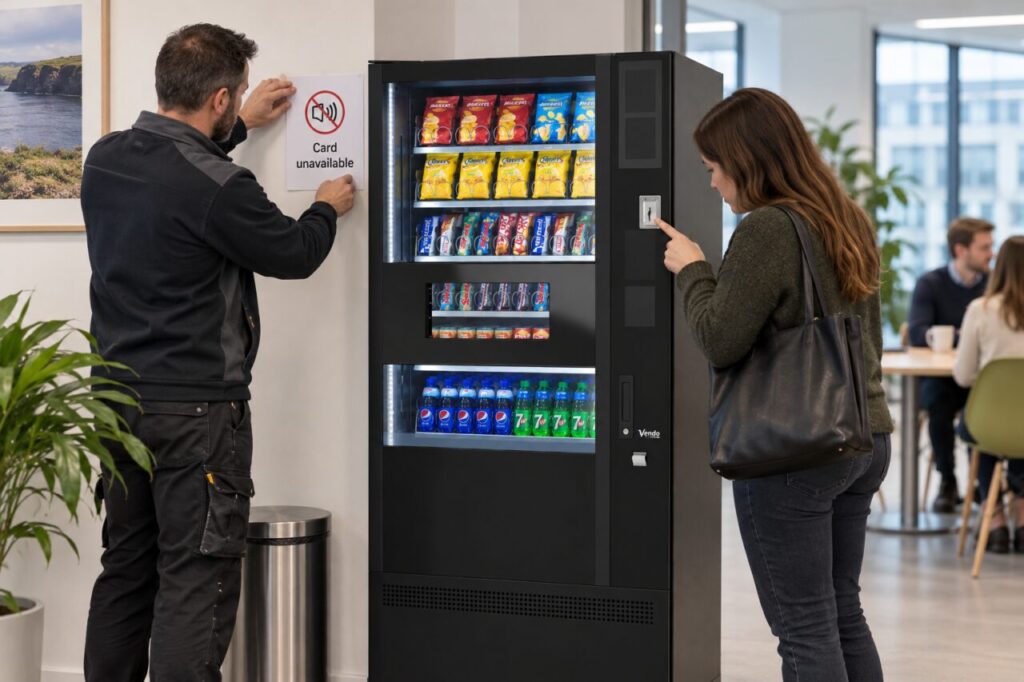
Describe the observed problem precisely
Record the machine identifier, time and visible message without collecting unnecessary payment information. State whether the issue was reported by one customer or confirmed by the responsible provider. A single unsuccessful attempt is an observation, not a diagnosis that every card or every payment method has failed. Let the operator determine the appropriate checks for the particular setup.
Do not reset equipment, open payment hardware or change settings unless that task is within your authorised training. If the provider asks for a photograph, avoid capturing card details or identifiable customer information. Use the normal support route and keep the reference so updates relate to the same incident. Follow the site’s established process if a separate safety concern is present.
Confirm the alternatives before advertising them
Ask whether another method is both fitted and currently working. Do not tell people to use coins simply because a slot is visible, or claim mobile wallets work when the same unavailable arrangement may be involved. The answer must come from the confirmed configuration and the operator’s assessment. If no purchase option is available, the notice should make that clear.
Where an alternative is confirmed, explain it without overstating what customers can do. The operator should provide any relevant instructions about accepted payment or change. A customer without that alternative still needs an understandable next step, such as another available purchase point. Do not suggest payment to an employee’s personal account or an improvised transfer as a substitute for the authorised process.
Place the notice before the failed step
Customers should see the limitation before beginning a purchase. Use a short statement that identifies the affected machine and method, with a useful contact or update route. Keep the notice clear of controls, product information and ventilation, and obtain the operator’s agreement for its placement. A freestanding sign may be more suitable than attaching material to equipment.
Separate the present status from the expected repair time. If timing is unknown, say where an update will be available rather than inventing a deadline. Avoid a vague message such as broken if only a specific function has been confirmed unavailable. Equally, do not imply normal service when customers cannot complete the advertised purchase journey with the remaining options.
Close the incident visibly
When the provider confirms restoration, follow the agreed verification procedure before removing the notice. Update any staff communication that described the interruption so old instructions do not continue circulating. Record the restoration time and the check performed. This gives the next site contact a useful account of what changed without requiring them to interpret several inconsistent messages.
When choosing vending equipment and services, ask how payment interruptions are communicated as well as which methods are offered. A practical reporting and notice process helps staff respond consistently. It also avoids making unsupported assumptions about payment technology or expecting customers to troubleshoot the machine themselves while an issue is being investigated.
Contact the team to discuss payment requirements and the proposed support arrangements.
Related guidance: Planning Coin Payments for Vending: Ask How Change Will Be Managed.