
A Vending Product Is Visible but Marked Unavailable: What to Report
Seeing a snack behind the glass does not necessarily mean the machine can currently sell it. If the selection is marked unavailable, the most useful response is to note exactly what happened and contact the operator. Repeatedly selecting the item or trying different payments may add confusing transaction attempts without resolving the original problem. A clear report helps the provider investigate the availability of the particular selection.
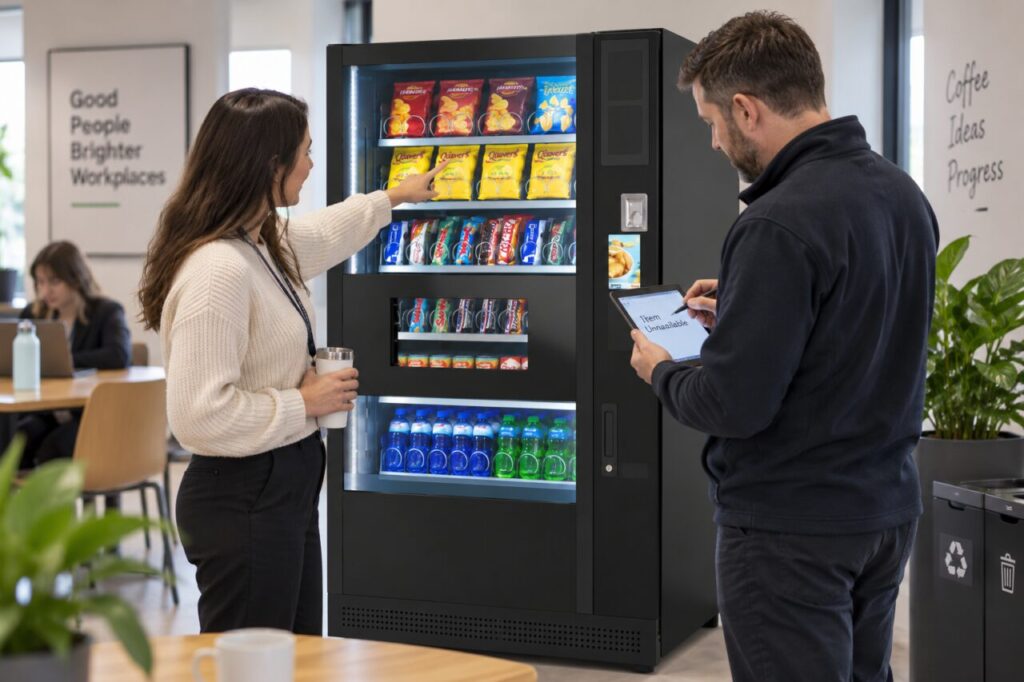
Check the selection you actually chose
Compare the selection number with the product you intended to buy. Note the flavour and pack size if they are visible. Similar wrappers or adjacent selection labels can make it easy to describe the wrong item afterwards. Do not assume that two rows containing similar products share the same availability status or the same selection code.
Read the message as displayed, without translating it into a diagnosis. Unavailable, sold out and a payment decline describe different observations. If the message disappeared, say that you do not recall the exact wording rather than inventing it. A photograph can help where it can be taken without capturing another customer’s payment information. Keep the machine’s location or identifying label with the report.
Avoid treating visible stock as proof of a fault
The operator may need to inspect the machine’s configuration, stock record or equipment condition to establish why the item cannot be bought. Customers cannot determine that from the glass alone. There may be a deliberate restriction or an issue requiring attention; the important point is that the cause remains unconfirmed until the responsible provider checks it.
Do not shake the cabinet, push objects into an opening or attempt to reach stock. If another clearly available selection meets your needs, decide whether you want to start a separate purchase using the displayed instructions. Otherwise, leave the selection and report it. The presence of a product is not a reason to force a mechanism or follow unofficial instructions promising to unlock a sale.
Keep payment information separate
If you attempted payment, explain whether you saw a payment confirmation and whether any product was delivered. A bank notification alone should be described as a notification, not automatically as a completed machine sale. Follow the operator’s approved process if the transaction needs investigation, and provide only the information requested through that route.
A useful first message might say that a particular selection showed unavailable at a stated time, the product was visible and no product was received. Add whether you tried to pay before seeing the message. Avoid sending full card numbers or security codes. Keeping the availability observation separate from the payment question helps the support team understand what needs checking without assuming that every unsuccessful selection caused a charge.
Help the site team close the loop
Site staff should pass the report to the operator and record any case reference. If several customers report the same selection, add the new observations to the existing case where possible. Do not mark the issue resolved merely because the cabinet still looks stocked. Ask the operator what confirmation is appropriate before telling customers that the selection is available again.
For a workplace considering vending services, customer-facing support information is worth discussing before installation. Our managed service includes product replenishment and technical care under the agreed arrangement. The practical objective is to make the reporting route clear: customers identify what they saw, site staff pass on a useful record and the responsible team determines the next action. That is more effective than guessing at a cause from the visible stock.
Contact the team about your vending service if your site needs a clearer support arrangement.
Related guidance: A Vending Machine Is Lit but Unavailable: Give Customers a Clear Status.