
Vending Screen Instructions: Confirm the Language Before the Demonstration
The language used on a vending interface is a practical buying question, especially where a workplace serves people with different language preferences. Ask what the proposed equipment actually supports before the demonstration. Do not assume that an advertised touchscreen means every language or every part of the transaction can be changed.
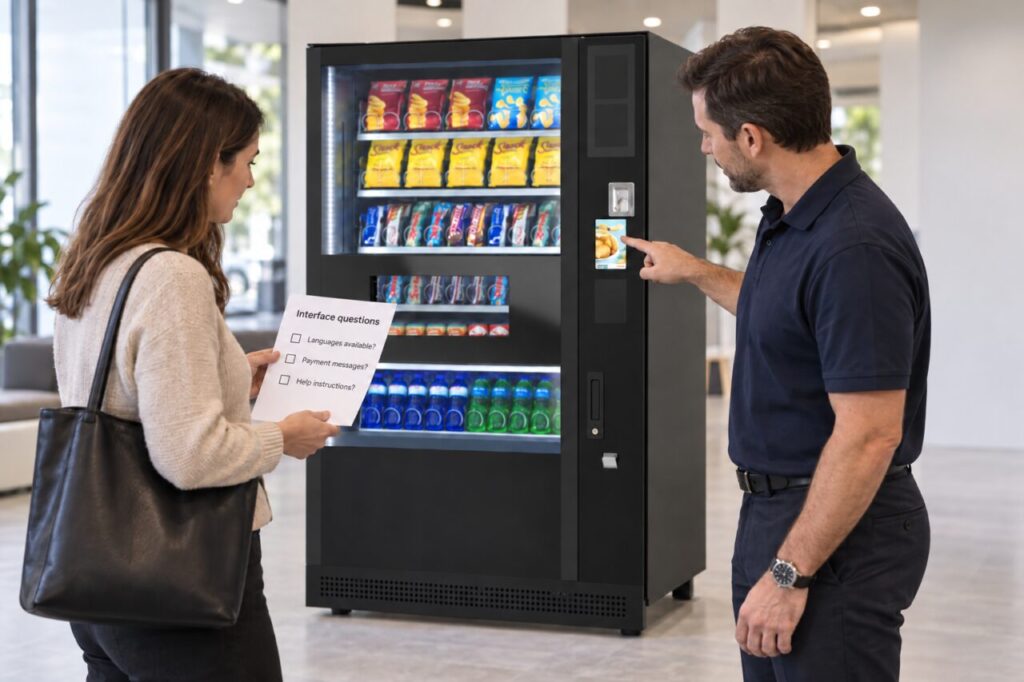
The aim is to understand the customer journey on the supplied configuration. The machine display, a separate payment reader and a nearby help notice may each have their own wording. Assess them together so the proposed service does not rely on an untested assumption about how users will understand the instructions.
Explain the users' needs
Tell the supplier which language requirements matter at your site and why. Describe the practical setting without sharing unnecessary personal information about employees. A workplace can identify a need for clearer instructions without creating a list of individual staff members and their language abilities.
Ask which options are available on the exact equipment being quoted. If a language choice is optional, record whether it is included, how it is configured and who supports it. Keep the answer specific to the proposed arrangement rather than assuming that a feature shown on another model will be supplied automatically.
Follow a complete selection
During the demonstration, read the instructions from product choice through payment to collection. Ask the supplier to show the relevant supported language where available. Look for places where the wording changes between the machine and the payment device, and ask how the user is expected to proceed at each stage.
Do not judge the journey from a welcome screen alone. A customer also needs to understand a cancelled selection, an unavailable item or the route for help. Ask which messages can be demonstrated safely and which need explanation through the supplied documentation. Record the limits of what you actually observed.
Use supplementary notices carefully
Where a separate notice would help, keep it short and aligned with the actual purchase sequence. Have translations checked by someone competent in the relevant language. Do not paste an unverified translation over an important equipment instruction or cover controls, labels or information that customers need to use the machine.
Pictures can support clear wording, but they should represent the real action. A collection symbol pointing to the wrong part of the cabinet can confuse users regardless of language. Ask the supplier where any additional notice may be placed and keep it separate from required manufacturer or payment-provider information.
Record the agreed arrangement
Include the interface language requirements in the written purchase specification and demonstration notes. If part of the requirement remains unresolved, assign it a follow-up action before treating the buying assessment as complete. Our guide to the written demonstration record provides a useful structure for this distinction.
Once installed, ask a small range of willing users whether the instructions are understandable. Gather practical observations without testing or judging people’s language ability. A repeated pause at the same step may indicate that the wording or the supporting notice needs clarification rather than that the customer needs more training.
Discuss these requirements when comparing vending machines. Clear language is one part of usability alongside the physical arrangement, payment process and support route. Confirming it early gives the supplier an opportunity to explain what is supported and helps your team avoid promising an interface option that the chosen configuration does not provide.
Ask us about the interface requirements for your proposed workplace vending setup.