
Vending Product Pack Sizes: Make Single Items and Multipacks Clear
A vending selection should make clear what the customer will receive: one individual item, a multipack or another specifically described unit. Familiar branding can make differently sized packs look similar through the glass or in a small product image. Before introducing a new pack format, check the whole selection description against the actual item supplied. Clear quantity information helps customers make a considered choice.
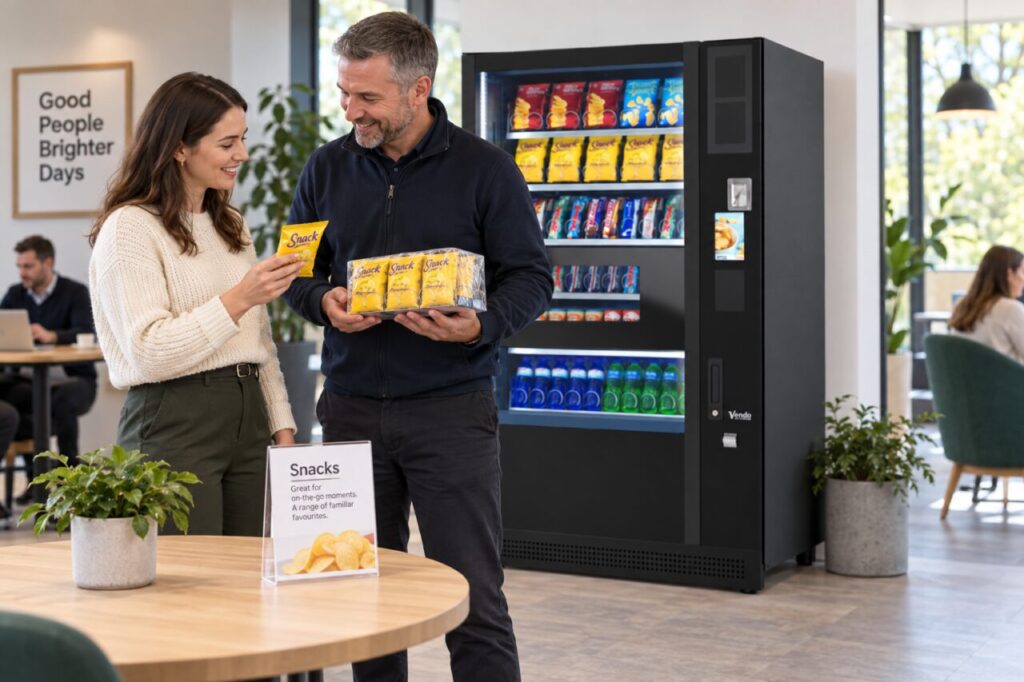
Start with the saleable unit
Ask the operator to identify the exact pack intended for sale, including its format and quantity description. Keep that separate from the supplier’s outer case size. A box containing several individual snacks is a purchasing unit; it does not necessarily describe what the vending customer buys. Do not use an outer-case photograph to illustrate a single-item selection without making the distinction clear.
Discuss product suitability with the supplier before loading a new format. Similar ingredients or branding do not establish that two different pack shapes will vend in the same configuration. The vending equipment assessment should cover the actual proposed pack, while the customer information should describe that same pack accurately. These are connected checks, but neither substitutes for the other.
Check the information together
Review the displayed product name, image, quantity description and selling price as one set. If a product image shows several items for presentation, consider whether a customer could reasonably mistake that for the quantity supplied. Ask for a more accurate image or a clearer description where needed. Avoid relying on staff being nearby to explain something the display leaves ambiguous.
Use the same wording in any adjacent product list or workplace announcement. A promotion describing a snack bundle can create confusion if the machine still dispenses only one item per selection. Do not advertise a bundle or multiple-item transaction unless the operator has confirmed exactly how it works. The communication should reflect the real purchase journey, including any separate selections required.
Test a customer's understanding
Show the proposed information to someone who was not involved in setting it up. Ask what they expect to receive and which displayed price applies. Their answer can reveal an assumption that the operator no longer notices. This is a clarity check, not a market survey or evidence that every customer will interpret the display in the same way.
Try the check at the normal viewing distance and under the site’s lighting. A quantity detail that is legible on a large design screen may be hard to notice on the actual machine. Keep important information concise and easy to locate. Do not solve unclear packaging information by adding a long notice that makes the selection harder to understand overall.
Recheck when the supplied pack changes
Treat a change from a single pack to a multipack, or the reverse, as a reason to review the selection information before sale. Even when the brand remains unchanged, the customer offer may differ. Ask the responsible operator to confirm the new product, suitability and displayed details together. Avoid placing the replacement behind an old description because it fits the same general category.
Keep a record of the agreed saleable unit with the range information used by refill staff. If a customer raises a quantity concern, record what the display said and what was supplied so the operator can investigate. Accurate pack descriptions support straightforward buying decisions and make it easier to distinguish an information problem from a vending or stocking problem.
Discuss your proposed range with the team before changing pack formats.
Related guidance: Vending Product Changes: Update the Selection List Before Customers Buy.