A Vending Supplier Answers Only Part of Your Question: Keep the Unanswered Point Visible
A supplier reply can be helpful while still leaving an important part of a vending enquiry unanswered. Perhaps it confirms the machine model but not the included payment setup, or gives a delivery estimate without explaining the access assumptions. Keep the unresolved point visible before treating the exchange as a complete answer.
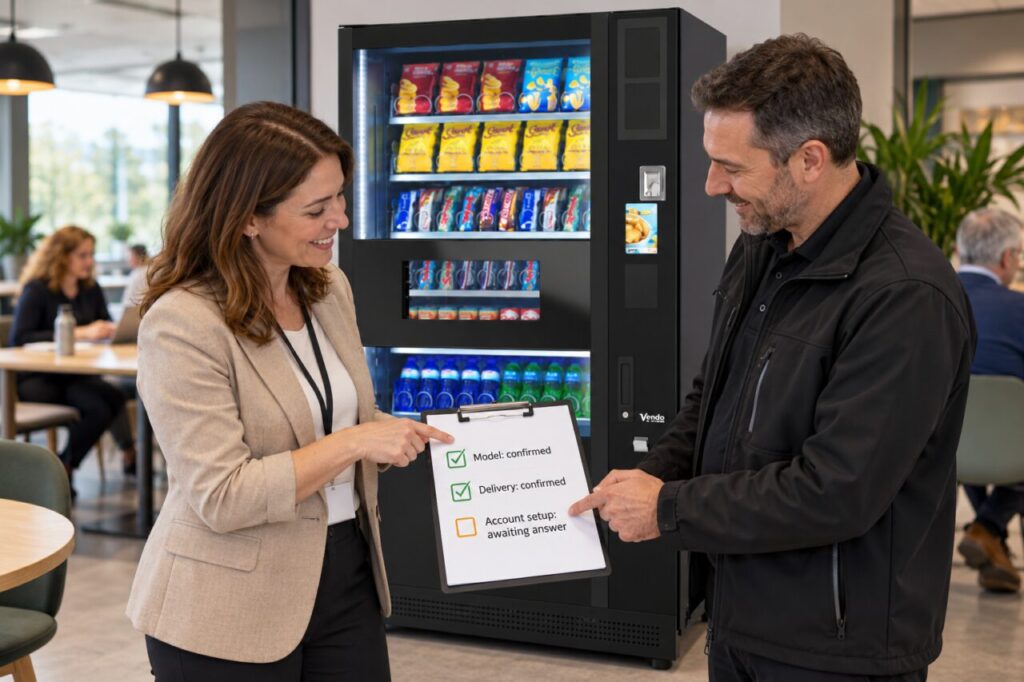
Read the original question and reply together. Identify exactly what has been confirmed, what is conditional and what has not been addressed. This is more effective than forwarding the whole conversation with “please clarify”, which may produce another broad answer. A short, specific follow-up gives the supplier a clear task to resolve.
Split a compound question
Long enquiries often contain several separate decisions in one sentence. Break these into numbered points, such as equipment configuration, opening stock, installation attendance and ongoing support. Mark the points already answered so the supplier does not have to repeat them. Keep the original wording where possible to avoid changing the question halfway through the discussion.
For example, “Does the quoted price include the reader and its setup?” contains at least two points. A reply confirming the reader does not necessarily confirm account setup, activation or any recurring services. Ask about the missing part directly and request that any relevant cost or responsibility is shown in the quotation.
Make the outstanding point answerable
State why the information affects your decision. If you need to know who attends installation because your own contact will be away, explain that practical constraint. The supplier may need information from you before answering. Distinguish an unanswered question from one that cannot yet be resolved because the site, configuration or scope is still undecided.
Ask for a clear answer, the relevant document or an explanation of what must happen next. Avoid forcing a yes-or-no reply when the accurate answer depends on conditions. A useful response might identify the condition, the person responsible for checking it and when you can expect confirmation, rather than offering an unsupported assurance.
Keep uncertainty out of the approval
When comparing vending equipment proposals, leave unresolved items marked as open. Do not fill a blank with the most favourable interpretation or assume another supplier’s arrangement applies. An apparently cheaper offer may simply have less clearly described scope. Compare confirmed inclusions and separately list the questions that could change the total or responsibilities.
If a purchasing decision must be made before everything is known, escalate the open point to the person approving the purchase. Record what is uncertain and how it will be resolved. Do not present an incomplete answer as an agreed commitment in an internal summary, especially where it affects delivery, ongoing charges or who performs a task.
Close the point in the right record
Once an answer arrives, link it to the relevant quotation or specification version. If it changes the proposed scope, ask for the commercial documents to reflect that change where needed. Keep a concise decision record showing the question, the confirmed answer and any remaining condition, rather than leaving colleagues to reconstruct a lengthy email chain.
At handover, check that the important confirmed items appear in the delivered arrangement. This is not about treating every partial reply as a warning sign. It is a way to make a practical enquiry easier to answer and a purchase easier to review, with fewer assumptions passed between the buyer, supplier and eventual site operator.
Related guidance: Vending Quote Versions: Know Which Price and Scope You Are Approving.
For help assessing your site, contact Vending-Machines.ie.