
A Vending Support Number Changes: Update the Customer Contact Route
A vending support number can change while the machine itself remains in the same place. Unless the site updates its notices and internal records, customers may continue using an obsolete contact route. Treat the change as a small handover task with an owner, an effective date and a check at completion. Confirm the new details with the authorised provider before displaying them or forwarding them to staff.
Verify the change through an established contact
Use your existing provider relationship to confirm the replacement number or other support channel. Do not amend a customer notice solely because an unfamiliar message requests it. Ask what the new route covers, when it becomes active and whether any previous channel remains valid during a transition. Record those answers so the host can explain the change consistently without inventing response times or service commitments.
Separate equipment support from other contacts where the actual arrangement requires it. The person receiving a product refund enquiry may not be the same person who arranges a site visit. A notice should direct the customer according to the agreed process, not offer a single general number that nobody has confirmed will handle their issue. Keep the wording short enough to use while standing at the machine.
Find the places that contain old details
Check the cabinet notice, any nearby customer information, reception instructions and the site’s shared equipment record. Include internal pages or induction notes if they repeat the support details. An updated label is only part of the task when staff continue distributing an old contact card. Assign one person to coordinate the change and ask other teams to confirm the records they have updated.
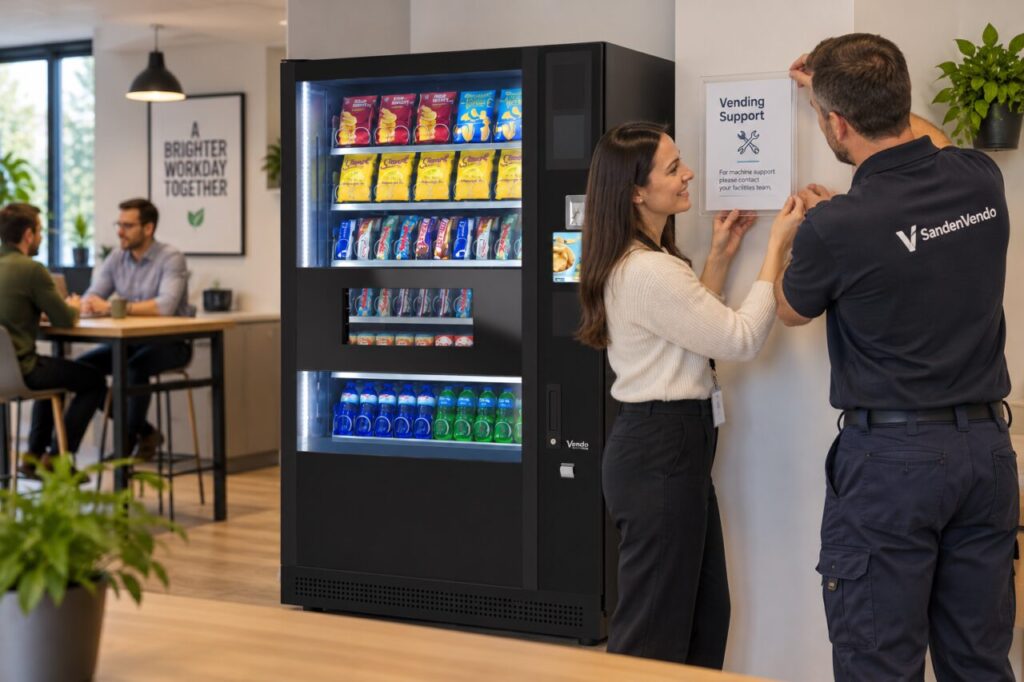
Look for duplicate notices that might contradict one another. Do not cover operating instructions, product information, displays or payment controls when replacing a support notice. Agree its position and attachment with the provider. If the provider owns the notice or cabinet, let them specify the approved replacement rather than improvising a label that could damage the surface or obscure information customers still need.
Test the customer route appropriately
Check that the displayed digits, web address or other details match the provider’s confirmed version. Read the notice from the normal customer position and make sure the machine reference is available if callers need it. If a digital link is used, verify its destination through the approved process. Do not assume that a neatly printed code or link is correct simply because it looks professional.
Arrange any test contact with the provider so it is clearly a test rather than a fabricated fault or refund request. The purpose is to confirm routing and intelligibility, not to measure a service response from a single artificial enquiry. Record the outcome and correct errors immediately. If a route is not yet active, agree the interim wording before removing the last working customer contact.
Keep the change visible to the site team
Tell reception, facilities and relevant shift contacts when the new details take effect. Include a clear instruction to use the current shared record rather than old saved messages. Where a customer has already opened a case through the previous route, ask the provider how that case should continue. Avoid instructing the customer to submit the same enquiry repeatedly without checking how the existing record will be handled.
For a dependable vending service, keep contact maintenance in the ordinary site review rather than waiting for a failed call to reveal a problem. A brief dated check after the change provides useful evidence that the notice and staff instructions agree. The goal is straightforward: a customer with a real issue can find the current authorised route, and the site team knows where that enquiry belongs.
Contact our team to discuss the support information for your vending arrangement.
Related guidance: Vending Support Contact Details: Check the Route Before Launch.