Using a Magnifier to Read Vending Information: Keep Payment Details Private
Using a magnifier to read vending information should help you understand the purchase before you commit to it. A handheld magnifier or a familiar phone magnification feature may make a small label easier to inspect. If the information is still unclear, ask the site host rather than guessing the product, price or instruction.
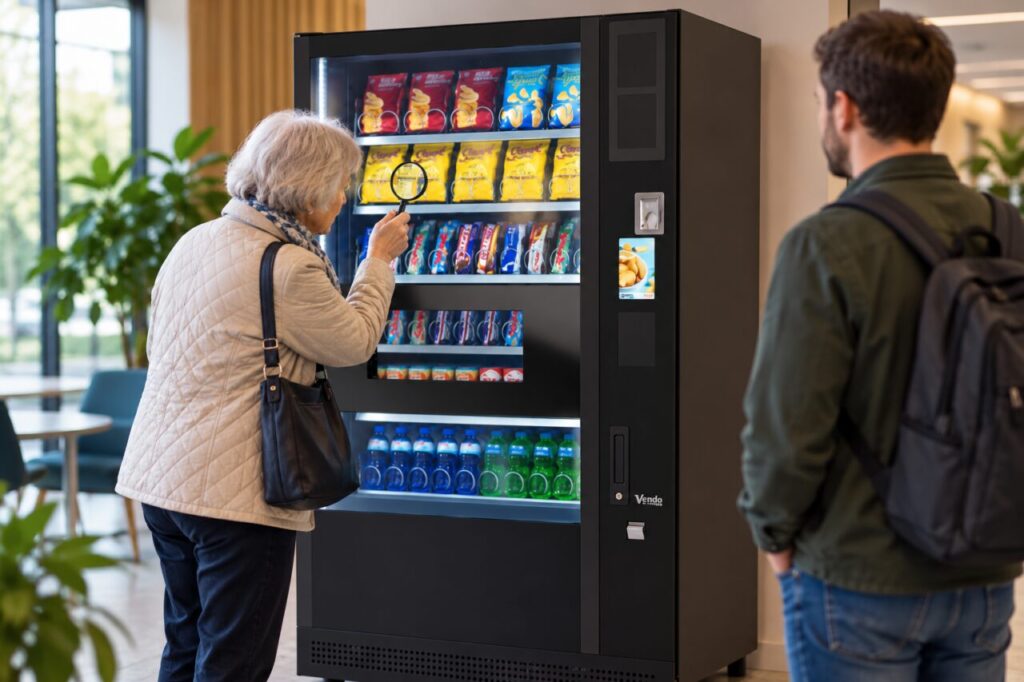
Keep the reading task separate from payment. You should not need to reveal a card number, PIN or account screen to somebody who is helping identify a snack or read a notice. Explain the information you need and choose a position where you can read it without obstructing another customer’s purchase or the machine’s collection area.
Start with the information you need
Identify whether the difficulty concerns a selection code, product description, price or instruction. These can be displayed in different places. Ask the host to point out the relevant information rather than trying to enlarge every label at once. If there are several similar products, confirm the exact selection before starting payment.
A magnified view can show more detail while reducing the surrounding context. Check that you are reading the label attached to the intended product, not a neighbouring selection. If a label looks damaged, out of date or inconsistent with the display, magnification will not resolve that uncertainty. Report the mismatch and ask for confirmation instead.
Use your own familiar aid carefully
If you normally use a handheld magnifier, keep it outside the cabinet and away from moving parts. Do not insert objects through a collection opening or try to reposition a label inside the machine. Ask for assistance when the information cannot be read from the customer side. A reading difficulty does not justify opening equipment.
If using a phone, choose a feature you already understand. Keep control of the device and avoid opening banking or payment information while somebody is helping with the label. You can ask the helper to read the public wording aloud without handing over your phone. Do not photograph other customers or their transaction screens unnecessarily.
Ask for a clear explanation
Tell the host what remains uncertain: for example, which selection code belongs to the product you want. Ask them to identify the full code and displayed price, then confirm the intended next step. Avoid instructions based only on left, right or colour when several controls or labels could match that description.
Where product information affects your buying decision, ask for reliable information about the actual pack. Do not accept a guess based on a similar product. A host who cannot confirm the detail should help you find the appropriate operator or another available option. It is reasonable to postpone a purchase until the information is clear.
Give useful feedback to the venue
Afterwards, describe the specific information that was hard to read and where it appeared. A report that the second digit of one selection label is unclear is more useful than saying the whole machine is confusing. The operator can then check the relevant label or arrange the appropriate assistance without changing unrelated information.
Venues planning customer-facing vending should include readability in the site discussion and demonstration. Test instructions at the normal viewing position and ask how temporary or damaged labels are handled. A magnifier can be a useful personal aid, but it should not become the venue’s substitute for clear, accurate information and a practical way to request help.
For a proposal suited to your site, contact our team with the location, expected users and your main requirements.
Related guidance: A Vending Instruction Label Is Fading: Report What Customers Can No Longer Read; You Paid for Vending with a Smartwatch: Keep the Payment Method Clear in a Query.